

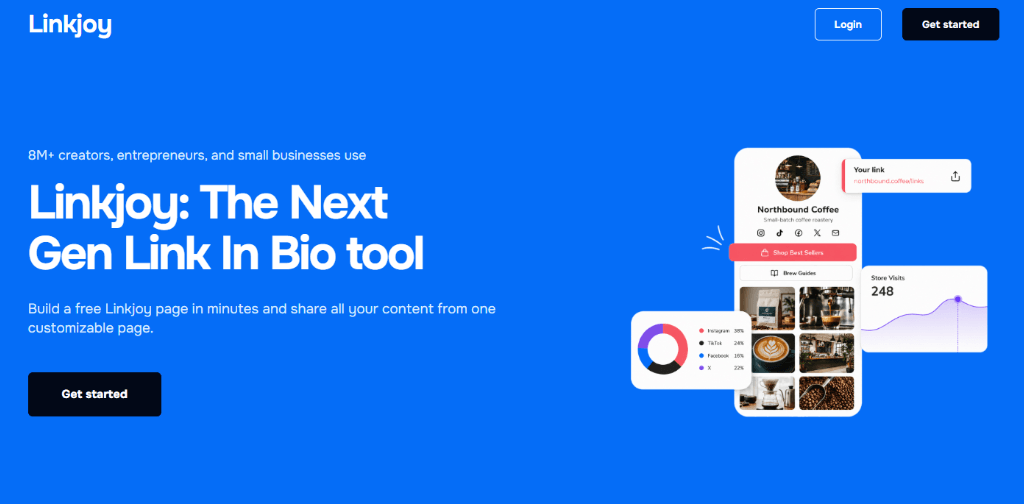
In this article, we will explore Linkjoy features, pricing, and the users who could benefit from it. We will also review three Linkjoy page examples and see what could be improved.
Before we dive in, you might also be interested in exploring the 15 best Link In Bio tools of 2026, including Taplink, Linktree, and Carrd.
What Is Linkjoy?
Linkjoy is a Link In Bio and link management platform that allows users to create mobile-friendly landing pages.
Unlike tools that display only a list of links, Linkjoy allows users to create more detailed pages with visual blocks, forms, videos, music, price lists, maps, payment options, and custom HTML.
It can be used as a personal portfolio, booking page, product showcase, or small business landing page.
Linkjoy Features
Linkjoy offers a variety of features for creating and managing a Link In Bio page.
Customizable Pages
You can customize colors, fonts, buttons, backgrounds, and other design elements. You can start with a template or create a design that matches your personal or business brand from a blank page.
Content Blocks
Linkjoy supports more than simple link buttons. You can add:
- Images and galleries
- Videos and music
- Forms
- Social media icons
- Maps
- Price lists
- Products
- Payment links
- Custom HTML
These blocks allow pages to look more like mini websites instead of basic link lists.
Analytics
Linkjoy provides analytics that show how visitors interact with your page and which links receive the most clicks. You can also connect external tracking tools, including Google Analytics and tracking pixels, for more detailed info.
Forms
Forms can be used to collect email addresses, booking requests, inquiries, registrations, and other visitor information. This can be helpful for coaches, freelancers, agencies, and businesses that want to generate leads directly from social media traffic.
Payments and Products
Linkjoy can be used to promote products, collect payments, accept donations, and sell digital content. This allows creators and businesses to monetize their audience without directing visitors through several different websites.
Custom Domain
Users can connect a custom domain to create a more professional and recognizable URL.
How to Make a Linkjoy Page?
Creating a Linkjoy page is straightforward.
Step 1: Create an Account
Visit Linkjoy’s official website and register for an account. Choose the plan that includes the features you need.
Step 2: Add Your Information
Upload a profile photo or logo, add a page title, and write a short description.
Step 3: Add Content Blocks
Add your main links, social profiles, images, videos, forms, products, and other relevant content.
Step 4: Customize the Design
Change the fonts, colors, background, buttons, and layout to match your brand.
Step 5: Publish and Share
Publish the finished page and add its URL to your Instagram, TikTok, YouTube, X, or other online profiles.
Who Will Benefit the Most?
Linkjoy could be useful for several types of users:
- Content Creators
- Freelancers
- Coaches and Service Providers
- Small Businesses
- Marketers
Linkjoy Pricing
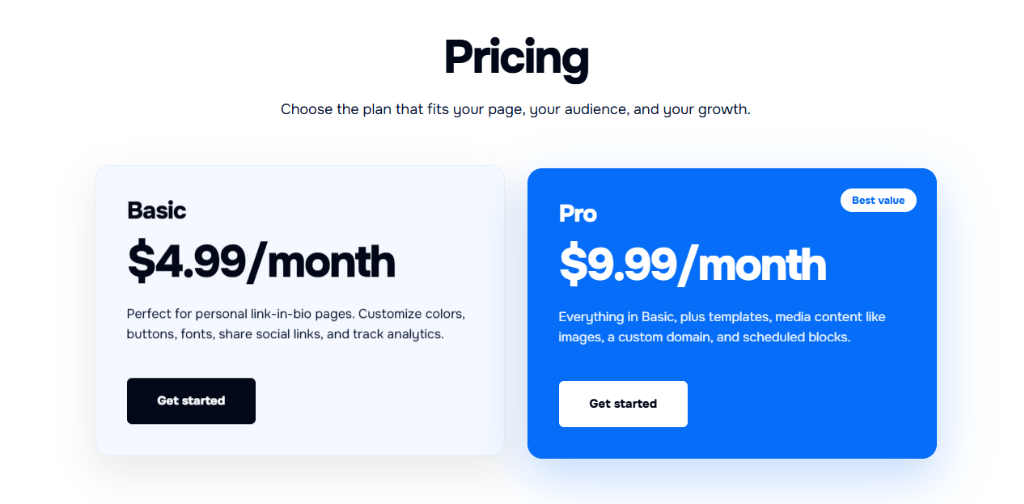
Linkjoy offers two main pricing plans.
Basic Plan ($4.99 per Month)
The Basic plan includes a customizable Link In Bio page, social links, analytics, and control over colors, fonts, and buttons. It may be suitable for users who need a simple link-in-bio page.
Pro Plan ($9.99 per Month)
The Pro plan includes everything in Basic, together with templates, image and media blocks, custom domains, and scheduled content. This plan is more suitable for creators and businesses that need a visual and flexible landing page.
Best Linkjoy Examples
Below are three examples showing how Linkjoy could be used by a creator, freelancer, and local business.
Example 1: Creator
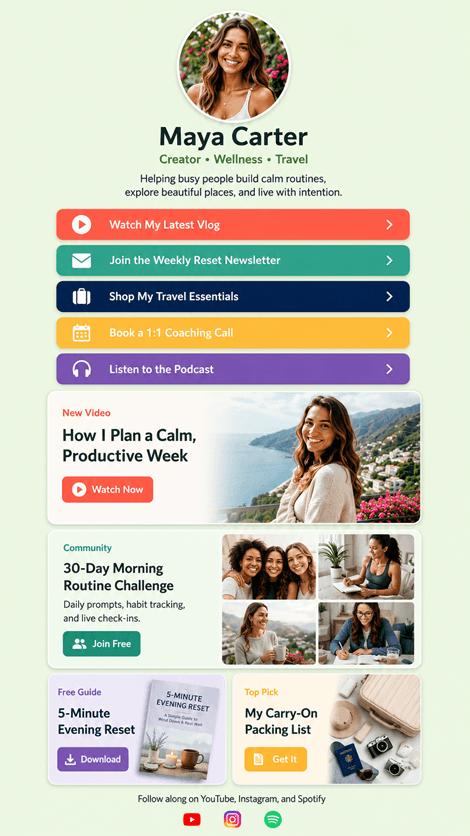
Maya Carter’s page is designed for a lifestyle creator who shares wellness, travel, and productivity content.
What I Like
- The page clearly explains Maya’s content topics.
- Colorful buttons make the main links easy to identify.
- The latest video receives strong visual attention.
- The newsletter and challenge can help build a community.
- Free and paid offers are presented together effectively.
- Calls to action are clear and specific.
What Could Be Improved
- The page contains many different offers, so the main action is not immediately obvious.
- Reviews could also help build trust around the coaching offer.
Example 2: Freelancer
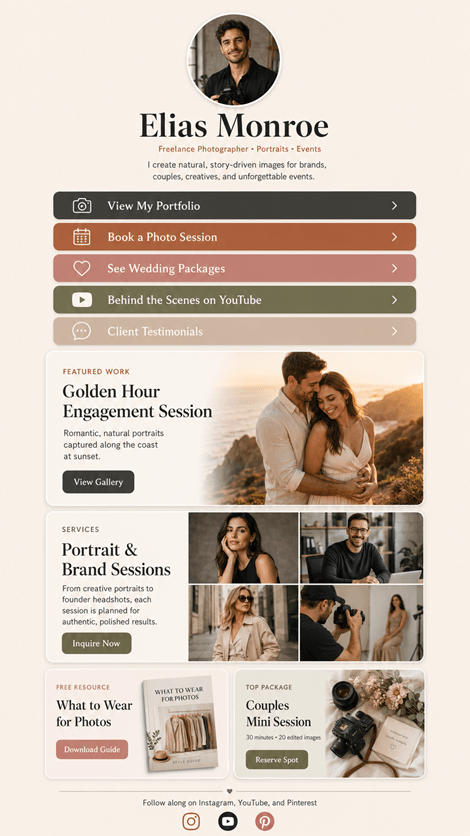
Elias Monroe’s page presents him as a freelance photographer specializing in portraits, couples, and events.
What I Like
- The visual style is consistent and professional.
- Visitors can understand Elias’s services quickly.
- Portfolio, booking, packages, and testimonials are easy to find.
- The free guide works well as a lead magnet.
What Could Be Improved
- The page could display Elias’s location or service area near the top.
- A form on the page could make it easier for visitors to book a session.
Example 3: Small Business
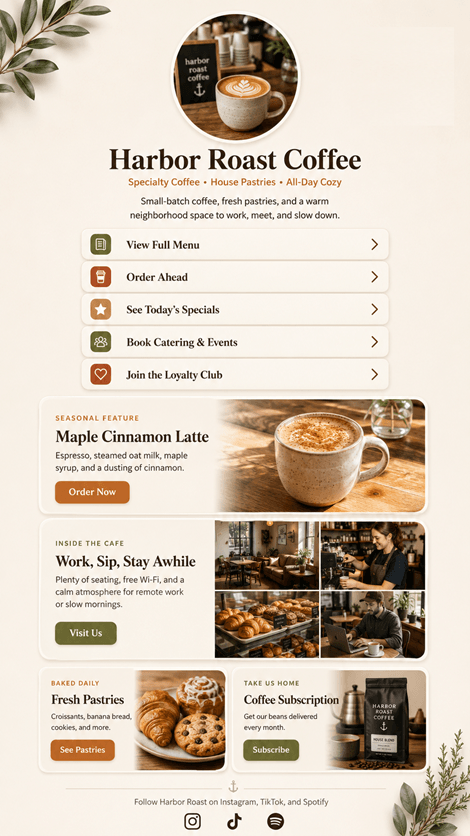
Harbor Roast Coffee uses its page as a mini website for a neighborhood cafe.
What I Like
- Menu and ordering links are placed near the top.
- The seasonal drink receives strong visual emphasis.
- Warm colors match the coffee shop theme.
What Could Be Improved
- The cafe’s address and opening hours should be more visible.
- An embedded map and customer reviews could also help first-time visitors.
Best Linkjoy Alternatives
If you’re unsure whether Linkjoy suits your needs, check out our article on the best Link In Bio tools. See how we compare the best bio tools like Taplink, Lnk.Bio, and Carrd, which have different customization options or features.
Conclusion
Linkjoy is a versatile Link In Bio platform that allows users to combine links, media, forms, products, payments, and social profiles in one place. Its visual blocks, analytics, custom domains, scheduled content, and lead-generation tools make it useful for creators, freelancers, marketers, and small businesses.
FAQ
What is the Linkjoy website?
Linkjoy’s official website is https://linkjoy.page/
Is Linkjoy Free?
No, Linkjoy offers a Basic plan for $4.99 per month and a Pro plan for $9.99 per month.
Can I Use a Custom Domain?
Yes. Custom-domain support is available with the Pro plan.
Can I Sell Products Through Linkjoy?
Yes. Linkjoy can be used to promote products, accept payments, collect donations, and sell digital content.
Who Should Use Linkjoy?
Linkjoy could benefit creators, freelancers, coaches, musicians, marketers, agencies, and small businesses that need to share several online destinations through one link.