
When link-in-bio tools first appeared, they solved a simple problem: “How can I fit more than one link into my social media profile?” Today, as you know, expectations are much higher. A link-in-bio page is often a mini-website, complete with branding, copy, products, and calls to action.
And that’s exactly why Taplink AI caught our attention. It presents itself as the first link-in-bio tool powered by AI, promising to build a modern, high-converting landing page in seconds. And of course, we decided to check if that promise holds up.
Our curiosity wasn’t only about speed, though. We wanted to understand (and showcase to you) whether Taplink AI could actually structure a page, write content that feels natural, and outperform a handmade approach in terms of efficiency.
What Taplink AI Promises
Taplink AI is an AI-powered page generator built into Taplink. And as of today, it offers two creation paths:
- Generate a page from scratch.
- Generate a page based on a professional template from the library.
In both cases, the idea is the same: replace hours of designing your page and writing content with a single prompt that describes your business (or yourself).
How we tested Taplink AI
To properly evaluate the tool, we decided to test both generation modes. First, we let the AI build a page from scratch without any structural guidance. Then we repeated the process using their pre-designed template for a nail salon to see how well the AI writes copy and works with a predefined layout.
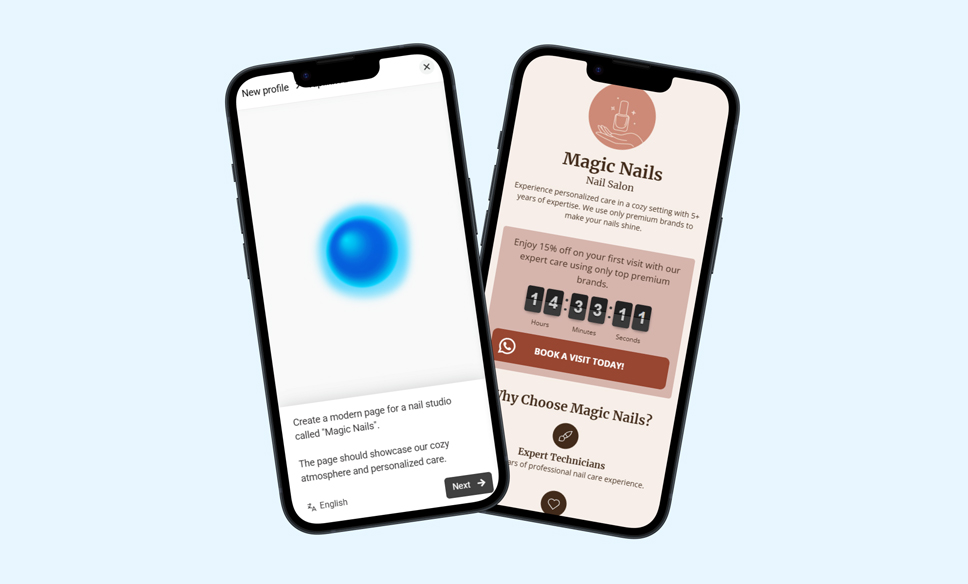
To get started, we came up with basic information for our fictional business: name, type of business, products we sell, our vibe, contact info, and working hours. Here’s our prompt:
Create a modern page for a nail studio called Magic Nails. The page should showcase our cozy atmosphere and personalized care. It also should highlight that we are professionals with over 5 years of practice, and that we only use premium brands.
The address: 123 Main Street, New York
The phone number: +1 (212) 000-0000
The business hours: MON–SUN 10 AM–10 PM
We decided to use identical business data in both tests to keep the comparison fair and focus on the differences in output quality and usability.
Creating a Page From Scratch
The “from-scratch” test delivered the biggest surprise. Taplink AI generated a well-structured page with logical sections, a clear visual hierarchy, and well-balanced spacing in seconds. The copy was readable, relevant, and aligned perfectly with the niche we specified. Nothing felt random or overly generic. It even included a special offer with a call-to-action button that felt completely natural for a nail salon.
But most importantly for us, the page didn’t feel like a rough draft. It felt like a ready-to-use landing page with some real thought put into it.
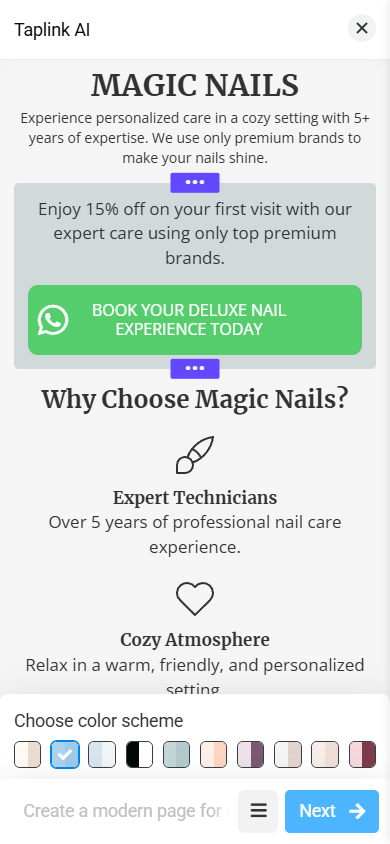
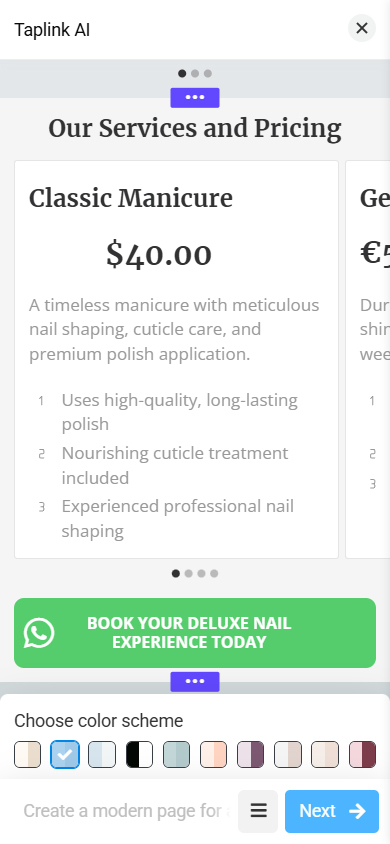
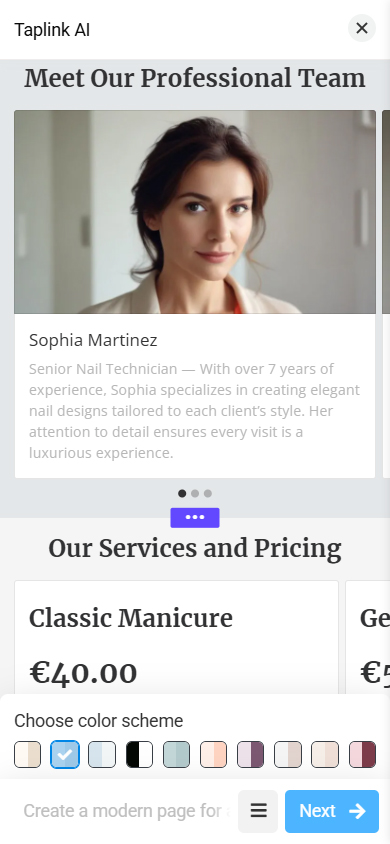
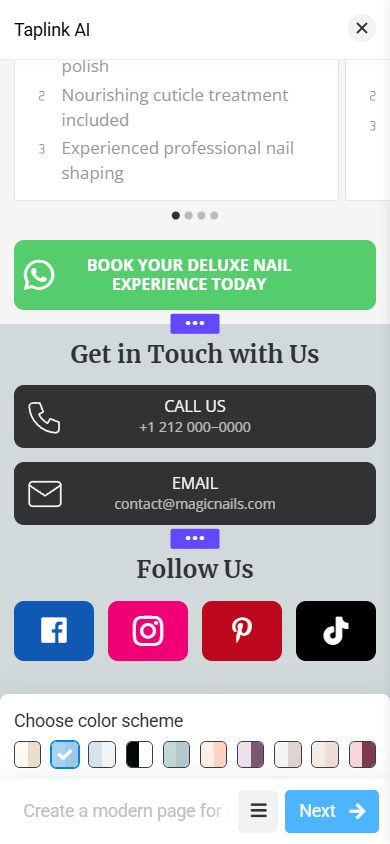
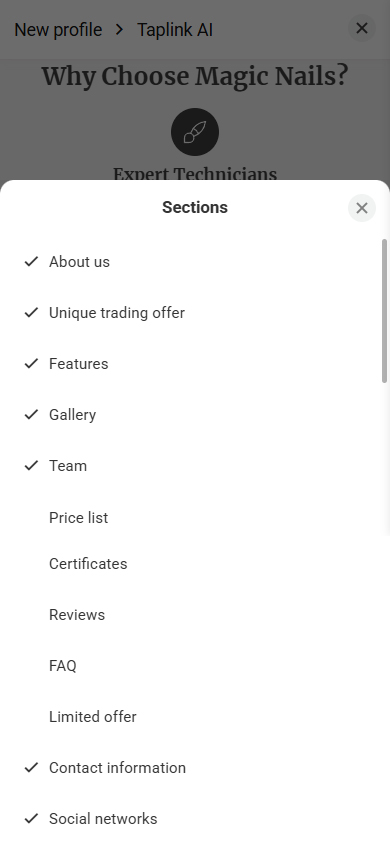
After generating the structure, managing the layout was really intuitive. Any section could be moved simply by dragging it up or down the page. Many sections also have different variations to choose from.
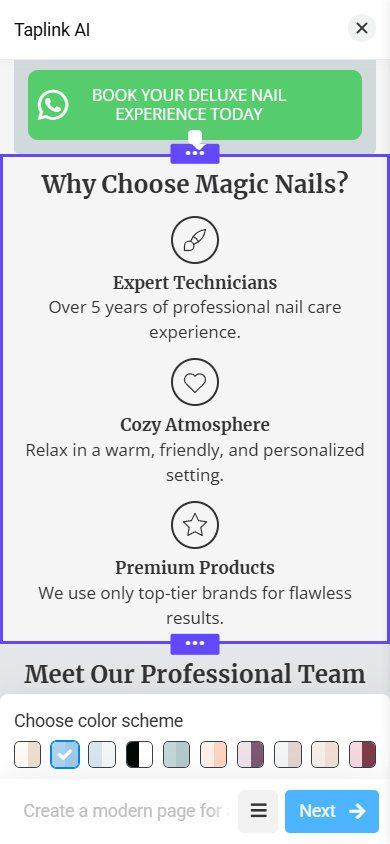
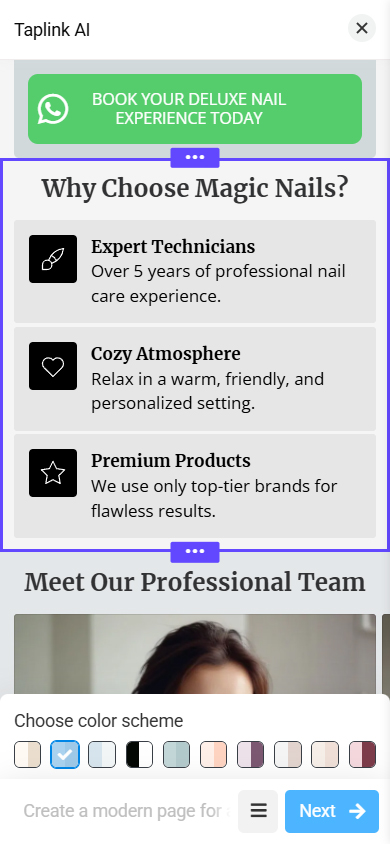
Unnecessary sections (such as Certificates, in our case) were easy to remove, and missing ones (like FAQ or Price list) could be generated on the go and integrated into the landing page in seconds.
Oh, and the color scheme of the whole page could be changed with a single click from a list of predetermined palettes.
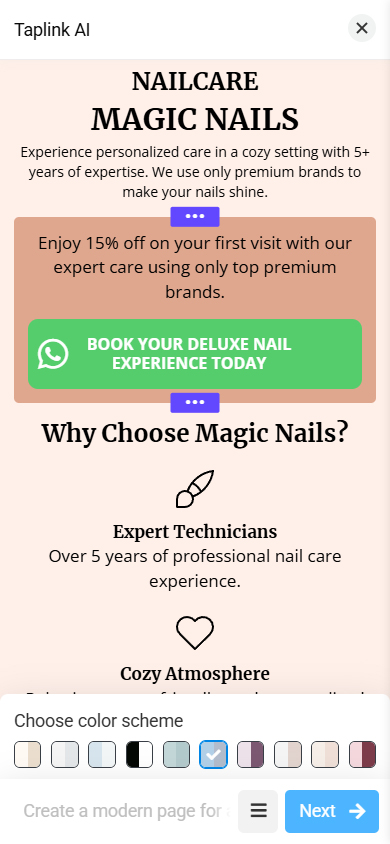
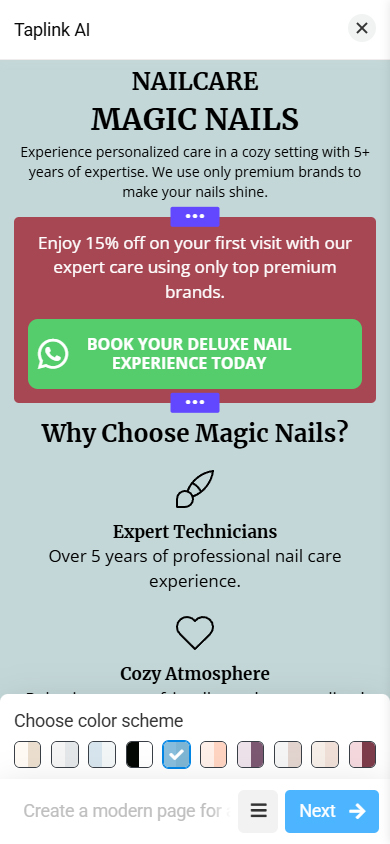
Once we decided that we were happy with the generated structure and color scheme, we clicked “Next.” All that remained was adding original visuals (a logo and product photos), adjusting the price list to match real offerings, and linking our nail salon’s social media accounts and messaging apps.
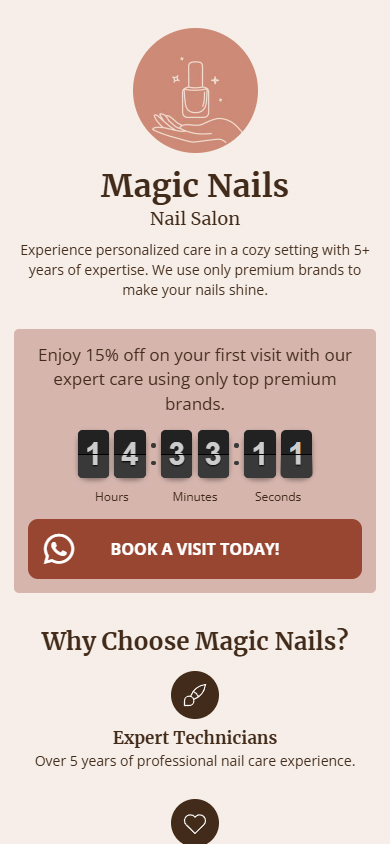
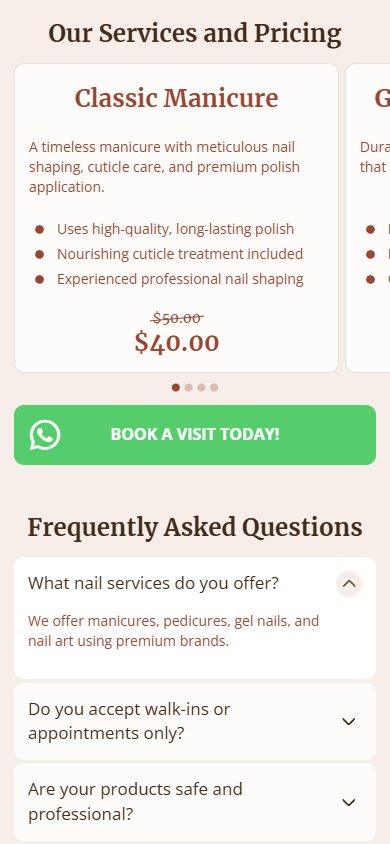
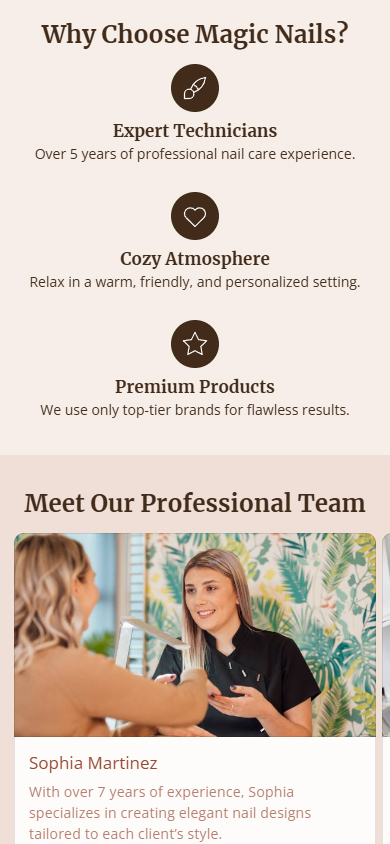

The AI generated the page in 12 seconds, then we spent an additional 6 minutes to polish it and make it publish-ready. Pretty quick, right?
Overall, the “from scratch” experience made one thing very clear: Taplink AI creates more than just a basic link-in-bio page. It generates a business landing page with a competent structure, logical content flow, and high-conversion sections that actually make sense for the niche. Instead of a generic link tree, you get a thoughtfully assembled page that feels intentional and professional.
It’s also worth clearly mentioning that you can generate and publish your landing page on Taplink’s Free (Basic) plan. The AI generation works, and you can get a functional link-in-bio page without paying anything.
However, if you want full creative freedom, upgrading makes a noticeable difference. Taplink’s Business plan (which is $8/month) unlocks all content blocks (including Images, Videos, and Forms) and removes any limitations, giving you complete control over customization, content, and monetization.
Using an AI-generated Template
Taplink offers a library of dozens of professionally designed landing page templates, neatly organized by popular niches such as “Fashion”, “Health”, “Food”, “Personal Page”, and more. For our test, we browsed the categories and quickly found a suitable option for our fictional studio in the “Beauty” section.
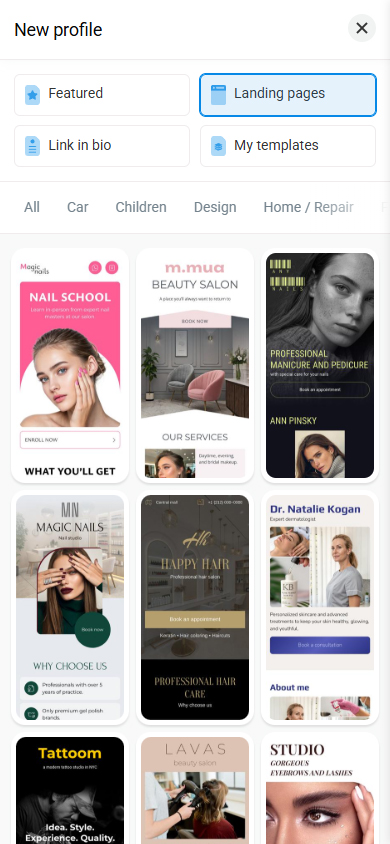
When working with a template, Taplink AI didn’t need to “think” about structure, because structure was already there. So, in this test, our only metric was the quality of the copy.
We wanted headings that are well aligned with our niche, product descriptions that are concise, and calls to action that feel natural and purposeful. And that’s exactly what we got.
Taplink-AI kept the template’s structure as is but changed all the headers to accurately reflect our nail salon. It wrote the texts and descriptions, implementing all the information about our salon that we provided in the prompt. Most importantly, it did not hallucinate any fake data and did not forget to add the correct contact info and working hours.
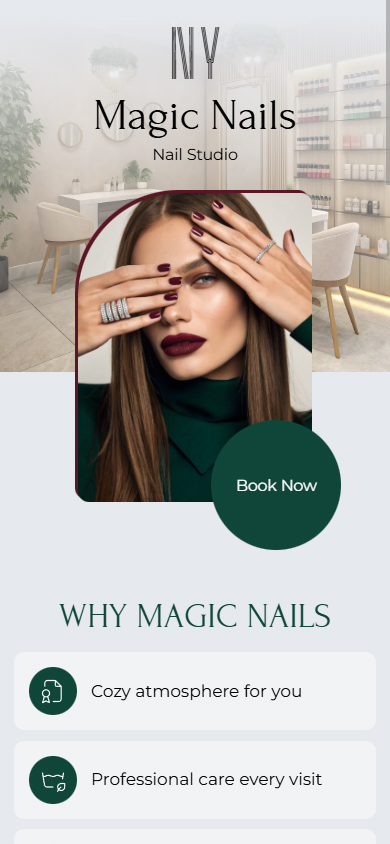

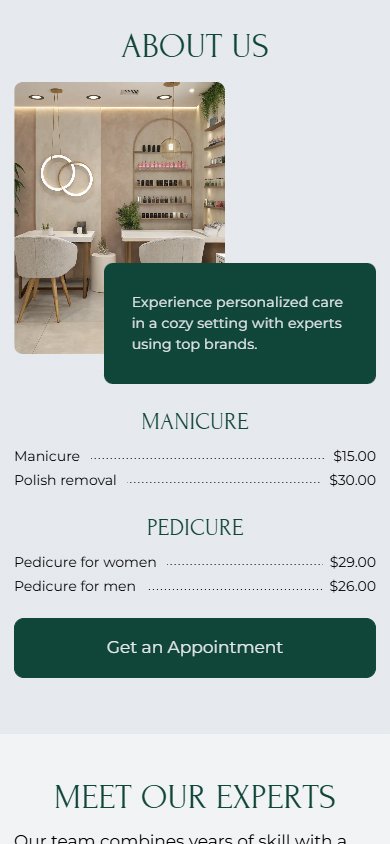
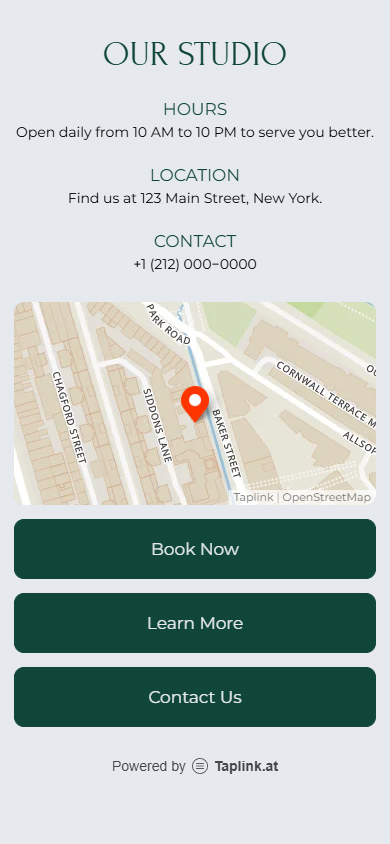
This approach took us only 3 minutes to get to the publishable page. We feel this path is especially useful for users who already like one of the templates Taplink’s library provides but don’t want to spend time writing or structuring content.
Design and Customization After Generation
If you read our in-depth review of Taplink, you know that we especially praised its content and customization features. Keeping that in mind, we knew that after generating the page, we still had so much that we could do.
We could easily change color palettes, fonts, buttons, and section styles. We could add 20+ different content blocks from videos to forms and even transform our landing page into a multi-page website.
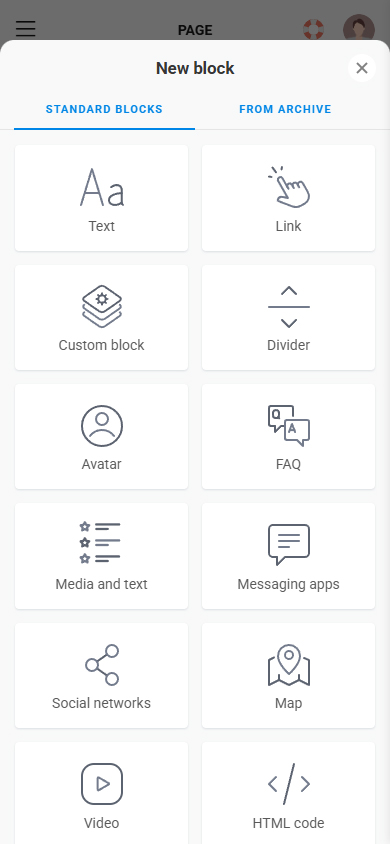
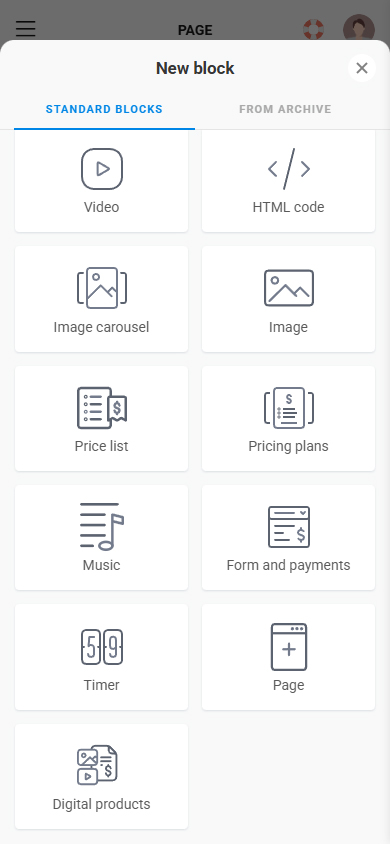
But for this test, we decided not to. Here, we decided to focus on AI only. So, if you want to know everything Taplink has to offer and see real examples of truly great Taplink pages, go to our review.
Pros and Cons
After finishing the two tests of Taplink AI, here are our thoughts about its strengths and weaknesses.
Pros
- The setup is lightning-fast. Taplink AI actually turns a single prompt into a publishable link-in-bio page with logical structure and suitable copy in less than 10 minutes.
- Surprisingly “ready-to-use” results. The pages you create never feel like a rough draft. Sections, spacing, and hierarchy of the page always look intentional.
- Decent, niche-relevant copy. The text was readable, on-brand, and aligned with the prompted vibe. The AI also correctly inserted contact info and business hours, and didn’t hallucinate extra facts or forget key information.
- Flexible customization after generation. Rearranging sections is as easy as drag-and-drop, plus removing irrelevant blocks and adding new ones takes seconds. And even though the test focused on AI, Taplink still offers deep customization and numerous content blocks, allowing you to expand later if needed.
Cons
- Basic AI-generated images. The visuals generated by default are quite bland and generic. To make the page look truly professional, you’ll almost always want to replace them with your own images or custom graphics.
- Font pairs aren’t editable. While the AI chooses decent font combinations, you can’t change font pairs during the initial generation process. To customize typography, you’ll need to go into the design settings after the page is created.
- Limited color palette variety. The preset color palettes are very similar to each other and lean toward muted tones. If you want brighter or more distinctive colors, you’ll have to manually adjust them at the design level after generation.
- Overlapping offer sections. The “Unique Trading Offer” and “Limited Offer” sections often feel redundant, as their content and purpose can overlap. In many cases, one of them needs to be removed or rewritten to avoid repetition.
Final Verdict: Is Taplink AI Worth It?
After testing both generation modes, our takeaway is simple: Taplink AI does what it promises!
The “from scratch” option delivered a page that felt genuinely ready to publish: a logical structure, clean visual hierarchy, and copy that matched our nail salon niche without sounding robotic. The template-based option was even faster, and it’s arguably the most practical path if you already like Taplink’s layouts but don’t want to spend time rewriting headings, descriptions, and CTAs.
Taplink AI won’t take care of thoughtful branding or original visuals for you (you’ll still want to add your logo, photos, and real product details), but it will remove the most time-consuming part of the process: getting from “blank page” to a solid foundation.
That said, Taplink AI isn’t completely hands-off. The AI-generated images are fairly basic and often need to be replaced with more professional visuals. Font pairs can’t be changed during the generation and require a separate trip to settings, and the preset color palettes are quite similar.
Still, these are minor polish issues rather than deal-breakers, and they don’t take away from the overall efficiency and practicality of Taplink AI.
If you want speed, a strong starting point, and flexibility afterward, Taplink AI is worth it.